Korekt AI for Jira
Ticket compliance and AI code review insights in your Jira issues
Install from Atlassian MarketplaceOverview
Korekt AI for Jira adds a context panel to your Jira issues that checks whether pull requests actually deliver what the ticket asked for. Each user story and acceptance criterion is verified against the code changes — showing what's been met, what's partial, and what's missing. The panel also shows a review summary, severity breakdown, and open issues.
Screenshots
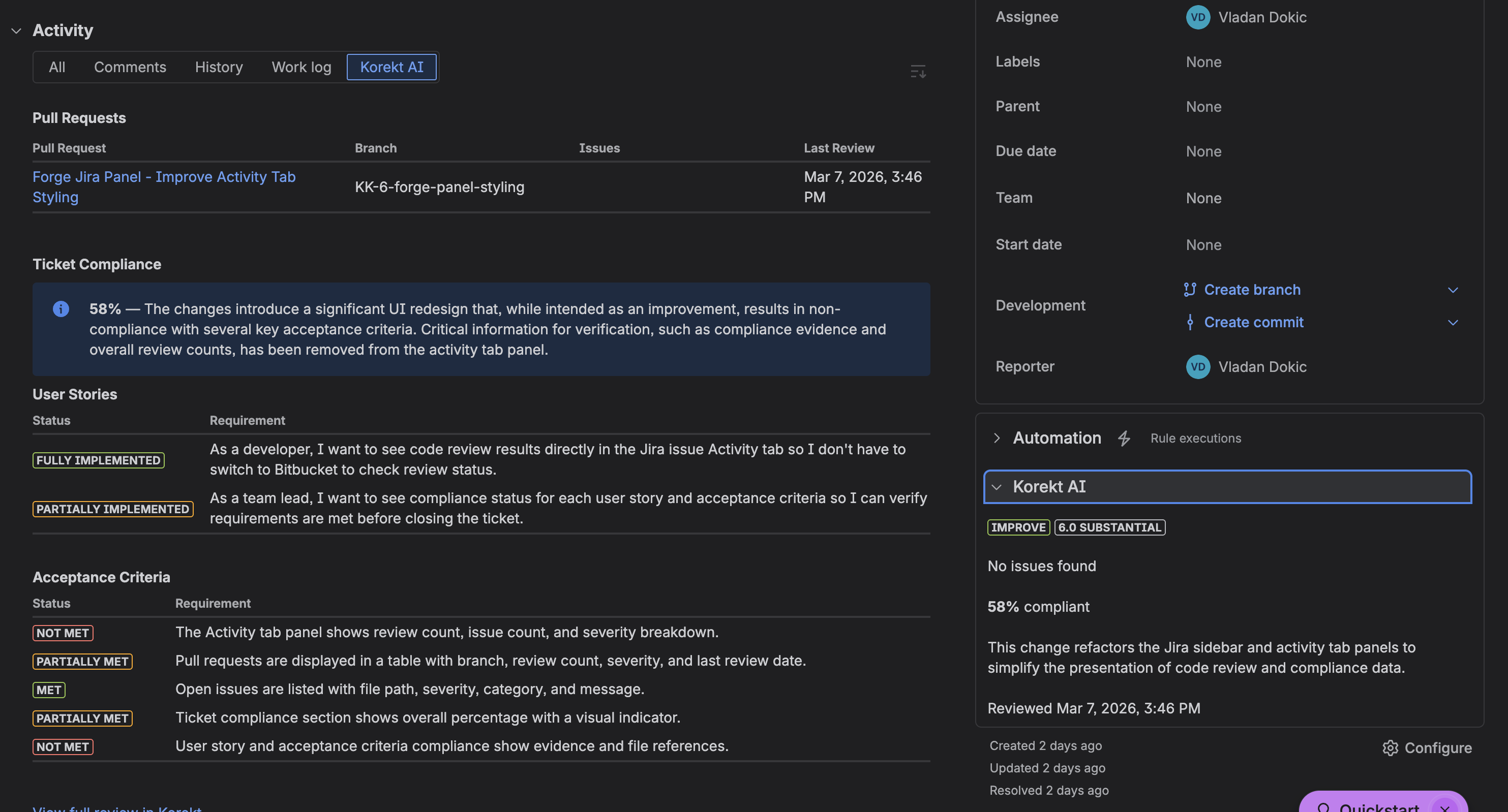
Issue activity panel — ticket compliance with user story and acceptance criteria tracking. Click to enlarge.
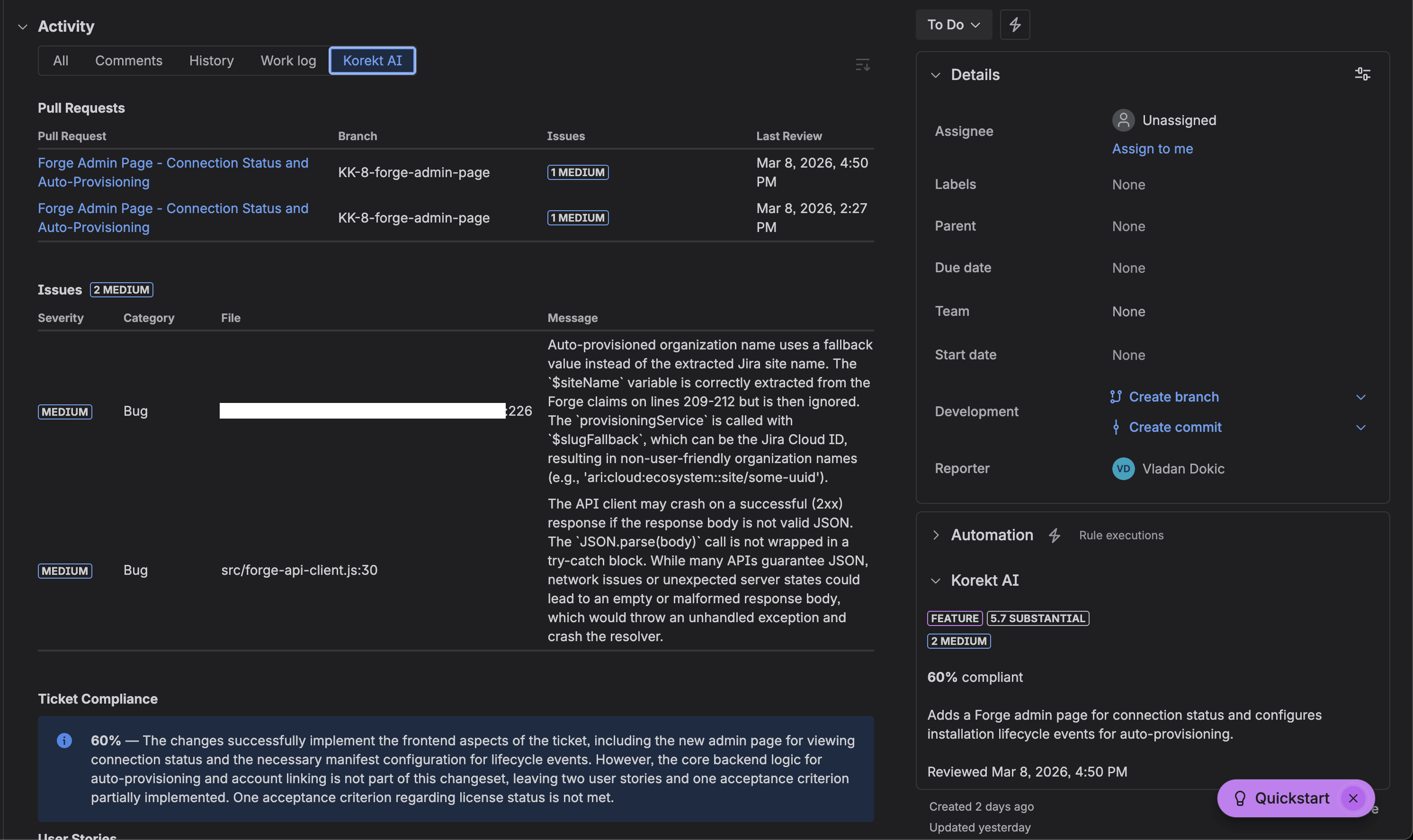
Issue context panel — compliance score, severity breakdown, and change summary at a glance. Click to enlarge.
How It Works
- Developer creates a PR — The branch name or commit messages include a Jira issue key (e.g.,
feature/PROJ-123-add-loginorFixes PROJ-123) - Korekt AI reviews the PR — The code changes are analyzed and review results are stored, linked to the issue key
- Jira panel shows results — When anyone opens the Jira issue, the Korekt AI panel automatically fetches and displays the latest review findings
Note: This app displays review results — it does not perform code reviews itself. Reviews can come from any connected source: Korekt AI for Bitbucket, GitHub webhooks, Azure DevOps webhooks, or the Korekt CLI.
What the Panel Shows
- Ticket compliance — Overall compliance percentage, each user story and acceptance criterion checked against the code with per-requirement compliance status
- Review summary — Change intent (feature, fix, improvement), complexity score, severity breakdown, and an AI-generated summary of what the code does
- Open issues — Code review findings by severity, category, and file location
If no pull requests have been reviewed for a given issue, the panel displays “No code reviews found for this issue.”
Installation
- Install Korekt AI for Jira from the Atlassian Marketplace
- Select the Jira site where you want to enable review insights
- A free trial account with a $5 review budget is automatically created for your organization, or linked to an existing one if you already have Korekt AI for Bitbucket installed
No additional configuration is required. The panel appears automatically on all Jira issues. Your code is never used for model training.
Testing
To verify the app is working after installation:
- Ensure you have at least one VCS provider connected to your Korekt account (Bitbucket, GitHub, or Azure DevOps)
- Create a pull request with a Jira issue key in the branch name (e.g.,
PROJ-123-my-feature) - Wait for the code review to complete
- Open the corresponding Jira issue — the Korekt AI panel should appear in the issue context showing the review results
Connecting a VCS Provider
The Jira app displays review results — to generate reviews, you need at least one VCS provider connected to your Korekt account. You can connect providers through the admin page or the Korekt dashboard:
- Bitbucket — Install Korekt AI for Bitbucket from the Atlassian Marketplace for fully automated reviews on every PR
- GitHub — Connect via the Korekt dashboard at app.korekt.ai
- Azure DevOps — Connect via the Korekt dashboard at app.korekt.ai
Privacy & Security
The Jira app only sends the Jira issue key to the Korekt backend to look up existing review results. No Jira issue content, descriptions, or code is sent from this app.
All communication uses Forge Invocation Tokens (FIT) — cryptographically signed JWTs issued by Atlassian. No API keys or shared secrets are used.
For full details, see our Privacy Policy and Security Policy.
Support
For questions, issues, or feature requests:
Email: support@korekt.ai
Security: security@korekt.ai